

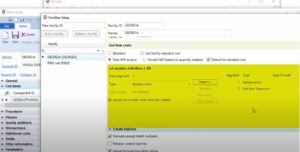
Automatically assigned lot numbers can now be defined by batch type in addition to facility. This allows you to have unique lot number definitions for each batch type at a facility.
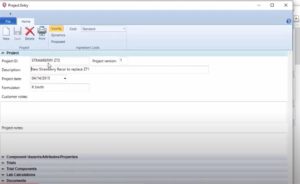
External documents can now be associated with a project.
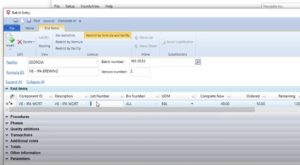
The end item lot numbers can now be automatically assigned when a lot tracked end item is added to a batch. The setting can be enabled either for a facility or batch type. The setting applies to end items added to a batch via the Batch Entry window, or when an end item is added to a batch by converting planned orders to batches.
Previously, lot numbers were automatically assigned only when an end item quantity to complete was entered.

ERP software systems created for chemical manufacturers can help improve customer satisfaction, streamline compliance, decrease operations costs and more. Check out this infographic to learn more.

Vicinity Software celebrates 20th anniversary with integration to Microsoft Dynamics 365 Business Central.

With the fully implemented chemical ERP system, ECC has been able to streamline everyone’s efforts and eliminate the old processes that were being done by hand.
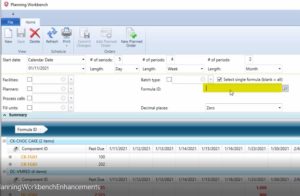
The following enhancements have been made to the Planning Workbench:
Single Formula Inquiry
Single formula inquiry has been added to simplify querying planning information for an individual formula.
User Defined Batch Types
The Planning Workbench has been enhanced to support querying planning information based on formula batch type. Previously, the Batch type restriction only supported Mix and Fill values.

Quality Sample Entry Updates Component Lot Attributes
Quality Sample Entry for Batch type samples has been enhanced to update lot attributes for lots produced by a batch based on quality test results. Previously, lot attributes were only updated for Component Lot samples.
Duplicate QC Tests
Quality Sample Entry now supports duplicate QC tests.
QC Test Entry Enhancements
A “Hide/Show Available” button has been added that collapses/expands the available list of QC tests
“Move Up” and “Move Down” buttons have been added so the order of QC Tests for quality sample can be rearranged
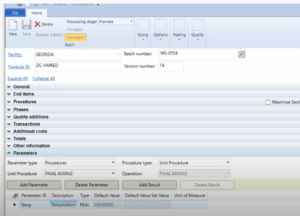
Batch Entry support for parameters has been enhanced to include parameters associated with unit procedures, operations, and phases. Prior to this release, only parameters associated with the overall batch were supported.
Two main types of parameters are supported: Batch and Procedure. Batch parameters are associated with the top-level batch. Procedure parameters are associated with either a unit procedure, an operation associated with a unit procedure, or a phase associated with an operation.
VicinityView has been enhanced to support grouping of search clauses so order of comparison operations can be explicitly defined. Prior to 4.33, and/or comparisons were evaluated from left to right.